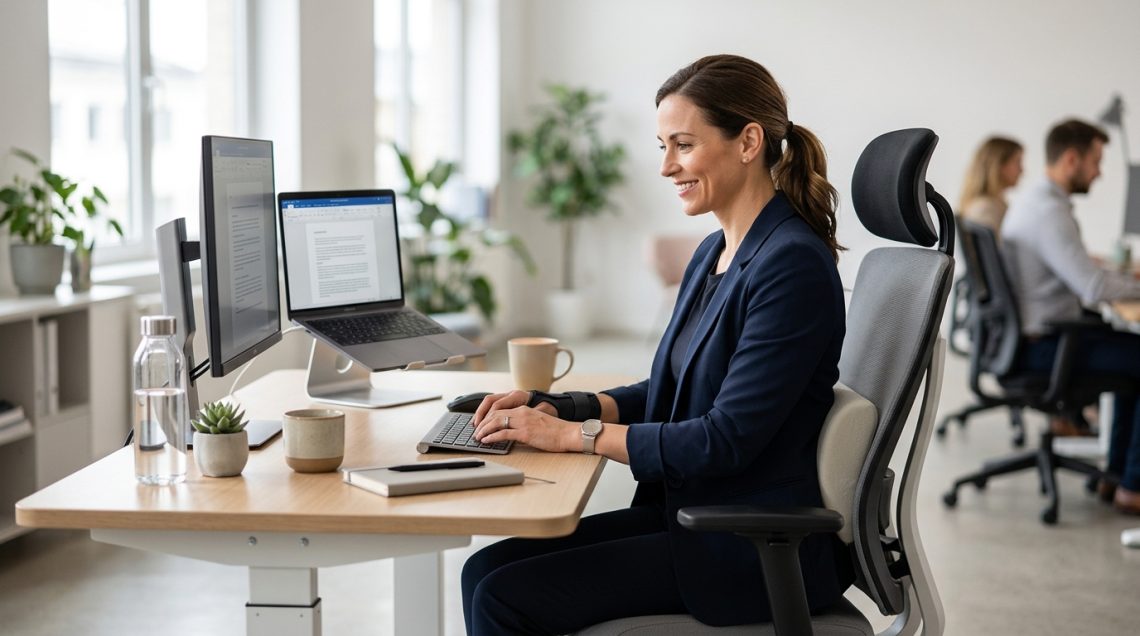
You’re halfway through your workday when the familiar ache starts creeping up your spine. Your shoulders tighten. Your lower back throbs. You shift in your chair for the hundredth time, but nothing helps. Sound familiar? If you’re one of the millions of working women dealing with chronic pain while trying to stay productive at a desk job, you know this struggle isn’t just about physical discomfort. It’s about maintaining your career, your income, and your sense of capability while your body fights against you every single day.
Managing chronic pain at desk job requires a multi-layered approach combining workspace ergonomics, movement strategies, and pain management techniques. This guide provides evidence-based methods to reduce discomfort, prevent pain flares, and maintain productivity without sacrificing your health. You’ll learn how to optimize your workstation, incorporate strategic movement breaks, and implement practical coping strategies that fit into your actual work schedule.
Understanding Why Desk Work Amplifies Chronic Pain
Sitting at a desk for eight hours doesn’t just feel uncomfortable when you have chronic pain. It actively makes things worse.
Static postures compress your spine and reduce blood flow to muscles and tissues. When you hold the same position for extended periods, your muscles fatigue and compensate in ways that create additional strain. This is especially problematic for conditions like fibromyalgia, endometriosis, arthritis, and chronic back pain.
Your nervous system also plays a role. When you’re dealing with why pain becomes chronic, your brain becomes more sensitive to discomfort signals. The stress of work deadlines, difficult conversations, and mental fatigue can amplify these signals even further.
Women face additional challenges. Hormonal fluctuations can intensify pain symptoms throughout the month. Conditions like fibroids and endometriosis add pelvic pain and pressure that worsens when sitting. The combination of these factors creates a perfect storm of discomfort.
But here’s the good news: you have more control than you think.
Setting Up Your Workspace for Pain Reduction
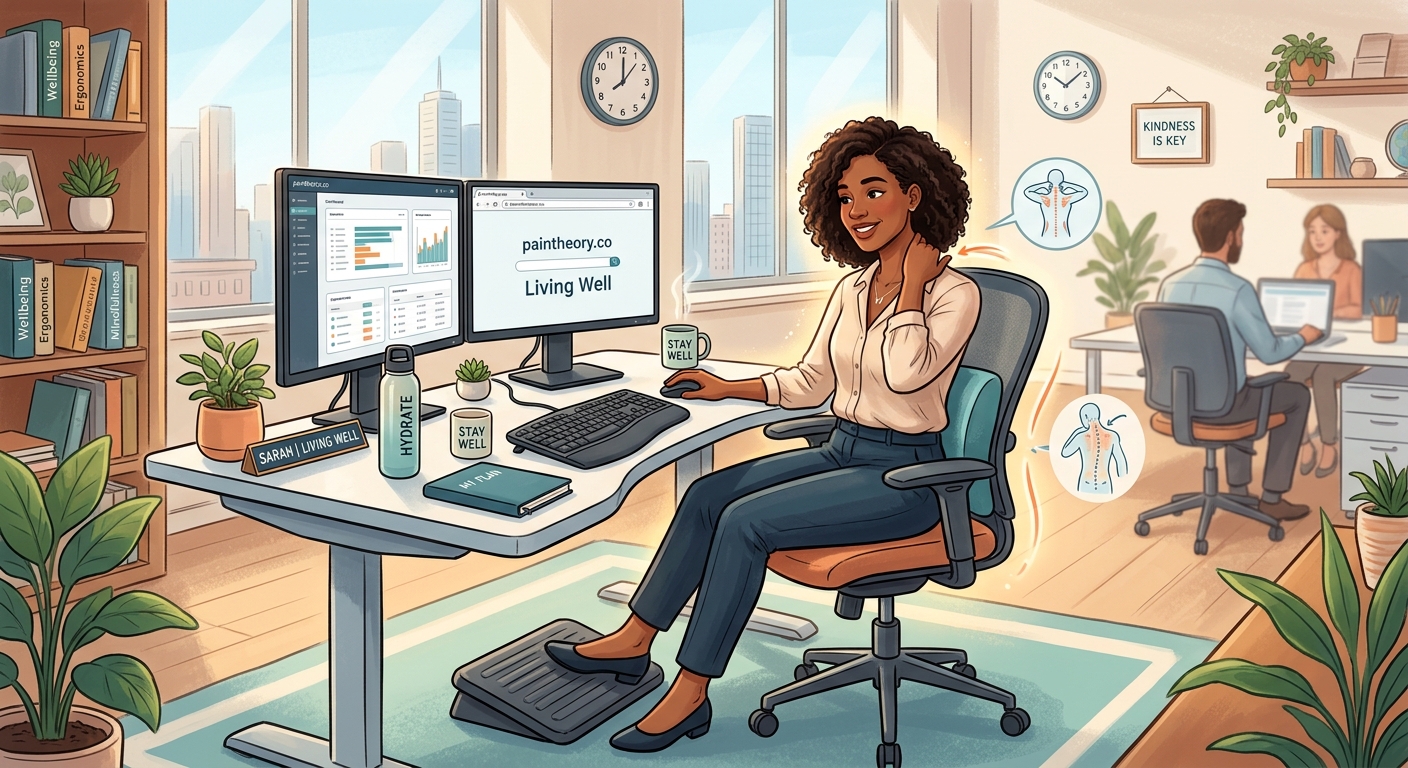
Your chair, desk, and monitor placement directly impact your pain levels throughout the day.
Start with your chair height. Your feet should rest flat on the floor with your knees at a 90-degree angle. If your chair is too high, use a footrest. Your thighs should be parallel to the ground, not angled upward or downward.
Your monitor should sit at arm’s length away, with the top of the screen at or slightly below eye level. This prevents the forward head posture that strains your neck and upper back. If you use a laptop, invest in a separate keyboard and mouse so you can elevate the screen properly.
Position your keyboard and mouse so your elbows stay close to your body at a 90-degree angle. Your wrists should remain neutral, not bent upward or downward. Consider a keyboard tray if your desk is too high.
Lower back support matters tremendously. Most office chairs have adjustable lumbar support. Position it to fill the curve of your lower back. If your chair lacks this feature, a small cushion or rolled towel works well.
“The single most impactful change most of my patients make is adjusting their monitor height. Within days, they report significant reductions in neck and shoulder pain.” – Dr. Sarah Chen, Physical Medicine Specialist
Movement Strategies That Actually Fit Into Your Workday
You’ve probably heard you should move every hour. But let’s be realistic about what that looks like when you’re in back-to-back meetings or racing toward a deadline.
Here’s a practical approach:
- Set a timer for every 30 minutes instead of every hour. When it goes off, do one simple movement right at your desk.
- Choose movements that take 30 seconds or less: shoulder rolls, neck stretches, seated spinal twists, or ankle circles.
- During longer breaks (lunch, bathroom trips), add a two-minute walk or standing stretch sequence.
This approach gives you 16 movement opportunities during an eight-hour day without requiring you to leave your workspace or interrupt focused work.
Some movements you can do without anyone noticing:
- Pelvic tilts while seated
- Glute squeezes
- Shoulder blade squeezes
- Ankle pumps and circles
- Seated cat-cow stretches
For times when you can stand up, try these:
- Standing hip flexor stretches
- Wall angels for shoulder mobility
- Calf raises
- Standing figure-four hip stretches
- Gentle standing backbends
The key is consistency, not intensity. Small, frequent movements prevent the muscle fatigue and stiffness that amplify pain.
Pain Management Techniques You Can Use at Your Desk
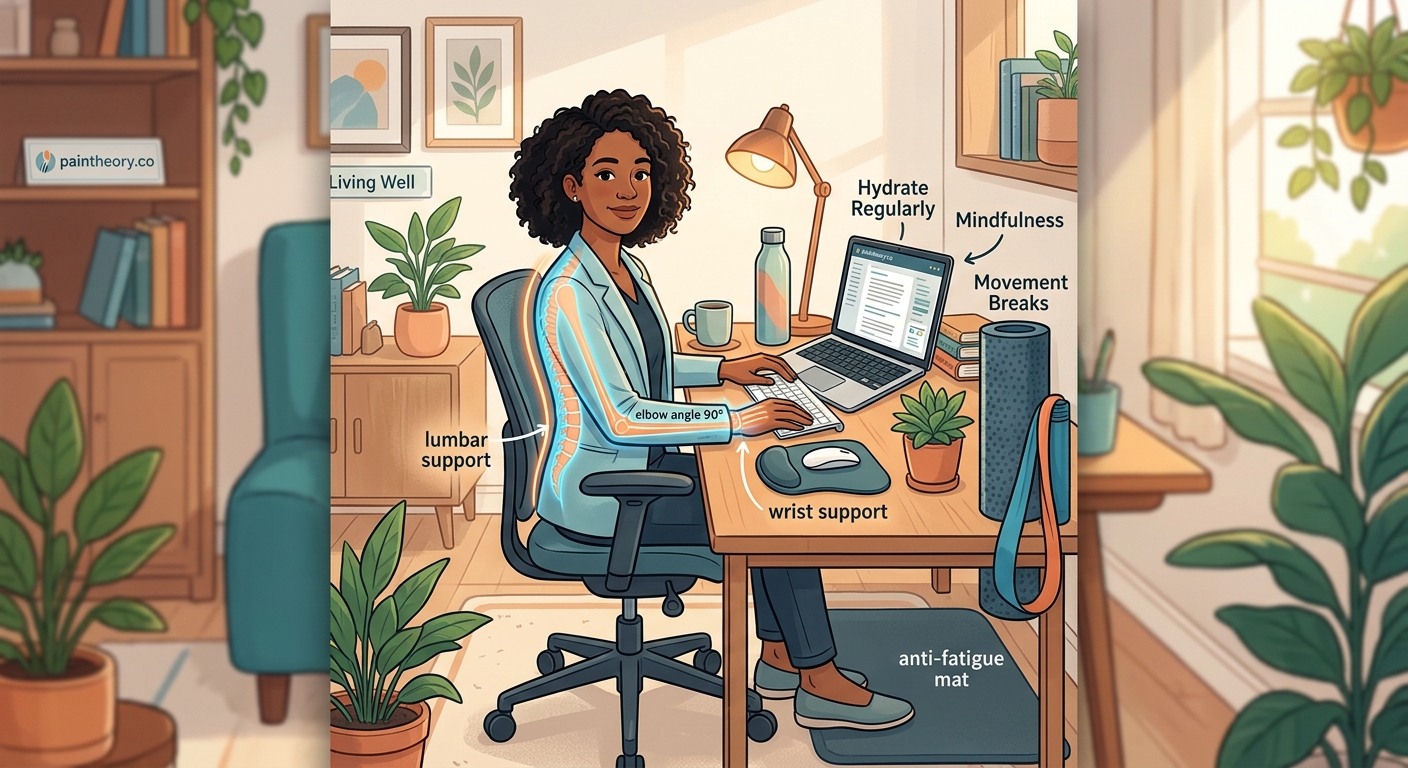
When pain flares during the workday, you need strategies that don’t require leaving your desk or drawing attention.
Heat and cold therapy work well in office settings. Small, discreet heating pads designed for desk use can ease muscle tension. Reusable gel packs kept in the office freezer help with inflammation. If you’re dealing with conditions that cause pelvic pain, learning whether heat or cold works better can make a real difference.
Breathing exercises reduce pain by calming your nervous system. Try this: breathe in for four counts, hold for four counts, breathe out for six counts. Repeat five times. The longer exhale activates your parasympathetic nervous system, which helps reduce pain perception.
Mindful body scanning helps you catch tension before it becomes severe. Every hour, mentally check your jaw, shoulders, hands, and lower back. Release any tension you notice.
Keep a pain management kit in your desk drawer:
- Anti-inflammatory medication (if approved by your doctor)
- Heating pad or cold pack
- Tennis ball or lacrosse ball for self-massage
- Essential oils like peppermint or lavender
- Supportive lumbar cushion
- Compression gloves if you have hand or wrist pain
Common Mistakes That Make Desk Pain Worse
Even with good intentions, certain habits sabotage your pain management efforts.
| Mistake | Why It Hurts | Better Approach |
|---|---|---|
| Crossing your legs | Creates pelvic imbalance and compresses nerves | Keep both feet flat on floor |
| Cradling phone between ear and shoulder | Strains neck and upper trapezius muscles | Use headset or speakerphone |
| Leaning forward toward screen | Increases disc pressure and neck strain | Bring screen closer, sit back |
| Holding mouse tension | Creates forearm and hand pain | Relax grip, use larger mouse |
| Skipping breaks when busy | Allows muscle fatigue to compound | Set non-negotiable movement alarms |
| Working through severe pain | Worsens inflammation and sensitization | Recognize when to stop and rest |
Another common mistake is ignoring pain patterns. Keep a simple log for two weeks noting when pain worsens and what you were doing. You might discover that certain tasks, postures, or times of day consistently trigger flares. This information helps you make targeted adjustments.
Communicating Your Needs at Work
Many women hesitate to ask for accommodations because they fear appearing weak or difficult.
Let’s reframe this: requesting reasonable adjustments isn’t asking for special treatment. It’s ensuring you can perform your job effectively despite a medical condition.
You don’t need to disclose your complete medical history. A simple statement works: “I have a chronic condition that requires some workspace adjustments to help me stay productive.”
Specific requests are easier for employers to accommodate than vague ones:
- “I need a standing desk converter to alternate between sitting and standing.”
- “I need permission to take brief movement breaks every 30 minutes.”
- “I need an ergonomic chair with adjustable lumbar support.”
- “I need flexibility to work from home on high-pain days.”
Document everything in writing. If your employer approves accommodations verbally, follow up with an email confirming the details.
Under the Americans with Disabilities Act, employers must provide reasonable accommodations for chronic conditions that substantially limit major life activities. Chronic pain often qualifies.
When Workplace Pain Signals Something More Serious
Not all desk-related pain is simply muscle fatigue or poor posture.
Certain symptoms require medical evaluation. If you experience any of these, don’t wait:
- Pain that radiates down your leg with numbness or tingling
- Sudden onset of severe pain after a specific incident
- Pain accompanied by fever, unexplained weight loss, or night sweats
- Progressive weakness in your arms or legs
- Loss of bowel or bladder control
These could indicate serious conditions that need immediate attention.
For women, worsening pelvic pain deserves investigation. Conditions like fibroids can cause symptoms that intensify when sitting. If you’ve noticed unexplained changes in your abdomen or weight, understanding the connection might provide answers.
Pain that consistently worsens at specific times also warrants attention. If you notice your discomfort follows a pattern related to your menstrual cycle, hormonal factors might be at play. How hormones affect pain perception is an important piece of the puzzle for many women.
Building a Sustainable Pain Management Routine
Managing chronic pain at desk job isn’t about finding one perfect solution. It’s about creating a system of small, consistent practices that add up.
Start with the workspace basics. Get your ergonomics right before adding other strategies. A poorly positioned monitor or chair undermines everything else you do.
Add movement next. Begin with just three or four movement breaks per day. Once that becomes automatic, increase frequency.
Layer in pain management techniques. Try one new strategy each week. Keep what works and discard what doesn’t.
Track your progress. Note your pain levels at the start and end of each workday. After two weeks, review your notes to see if your interventions are helping.
Adjust as needed. Your pain might change with seasons, stress levels, or hormonal cycles. Stay flexible and modify your approach when something stops working.
Consider professional support. Physical therapists, occupational therapists, and pain management specialists can provide personalized strategies. Comparing different treatment approaches helps you make informed decisions about your care.
If pain regularly disrupts your sleep, that needs attention too. Poor sleep intensifies pain sensitivity, creating a vicious cycle. Learning how to improve sleep despite pain can significantly improve your daytime function.
Creating Your Personal Pain Management Plan
You now have the information. The next step is implementation.
Here’s how to start this week:
- Audit your workspace. Take photos of your current setup from the side and front. Compare them to proper ergonomic positioning. Make one adjustment today.
- Choose three simple desk stretches. Write them down and tape the list to your monitor. Do them at least twice tomorrow.
- Set phone alarms for movement breaks. Start with four breaks during your workday. Increase gradually.
- Prepare your desk pain kit. Gather the basic supplies you need and store them in an accessible drawer.
- Identify one accommodation you need. Draft an email to your supervisor requesting it. You don’t have to send it yet, but having it ready reduces the barrier.
Remember that managing chronic pain while working a desk job is genuinely challenging. Some days will be harder than others. That’s not failure. That’s the reality of living with a chronic condition.
The goal isn’t to eliminate all pain. For most people with chronic conditions, that’s not realistic. The goal is to reduce pain enough that you can work effectively, maintain your income, and preserve your career trajectory.
You deserve to work without constant suffering. Small, consistent changes to how you set up your workspace, move throughout the day, and manage pain flares can create meaningful improvements. Start with one change today. Your future self will thank you.